Get started with Afterglow
Three steps.
Then press play.
Your server keeps the collection. Your clients are where you watch and listen. Start with the computer that holds your media, then connect your other devices.
Joining a friend's Afterglow? You only need a client. Skip to step 3 and open the invite your friend sent you.
Already using Plex? Try Afterglow alongside your current setup.
01 / Where your media lives
Install Afterglow Server.
Choose the computer that can access your movie, show and music folders. Install the server there and leave that computer running whenever you want to use Afterglow from another device.
Need platform-specific installation help? Open the installation guide, including Mac installation steps.
02 / Bring your collection together
Add your media folders.
Open Afterglow on the server computer and choose the folders holding your media when prompted. Afterglow scans the files and looks for matching titles, artwork and details. Larger collections take longer to identify.
Browse your library as it fills in. If a title is matched incorrectly, open it and use Something wrong? Fix it to correct the match. Your media stays on your server; online identification services receive lookup information to find matches.
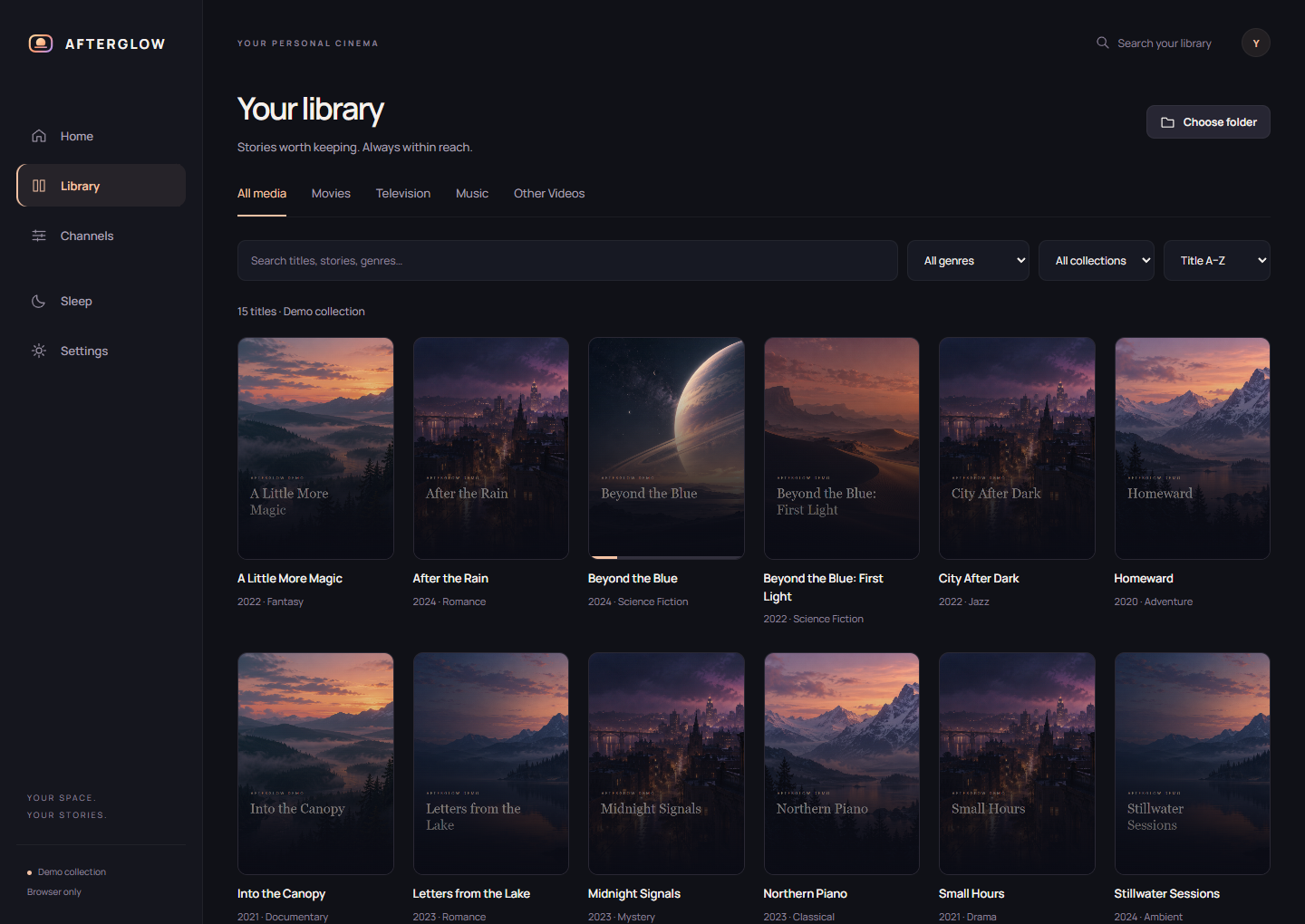
Illustrative demo collection. Afterglow does not include movies, shows or music.
03 / Where you watch & listen
Connect your next screen.
Install a client on your other computer, phone or tablet. For your own server, start on the same home network: open the client, choose your server if asked, and approve its pairing request on the server. Check that the displayed pairing codes match.
Using an invite? Install the client, then use Open my invite or Add a friend's server and open or paste the invite your friend provided. You don't need to install your own server.
You can also open the server's home-network address in a browser. For the NAS setup kit, use http://YOUR-NAS-IP:8765/. Your server's owner may require a sign-in.
Make the most of it
Pick your kind of evening.
- Movie night: browse a title, open its details, then play.
- A familiar channel: explore the Channels page for programs built from your collection.
- Music: browse your albums and choose what to listen to next.
- A better picture: on a compatible Windows server with an NVIDIA RTX card, check Playback settings for AI enhancement. Up-to-4K enhancement depends on the source and measured card performance.
My client can't find the server
Check that the server computer is running and that both devices are on the same home network. Guest Wi-Fi can isolate devices. Try the server's IP address in a browser and check the server's connection settings.
I want to connect away from home
Pair your device at home first. The server's Settings > Server > Away from home section explains whether remote access is available and any router setup needed. Some networks need additional configuration.
Watch the short interface tour or read the full Linux/NAS guide.